
Migrating from Divi 4 to Divi 5
What changes and when do you need to be ready?
by Monique Maessen-Demoet, web designer at Demoet graphic design
You open your WordPress dashboard and see a notification: Divi 5 is available. You dismiss it, because your website is running fine and you have other things to do. Understandable, and not strange at all. Except this update is different from the ones you're used to. Divi 5 isn't a small improvement on the side, it's a completely new foundation under the builder your website runs on. And Divi 4, the version you're probably still using, now has an expiry date.
I've been building WordPress websites with Divi for years, and I see this question coming up more and more with clients: do I need to do something now, and if so, what exactly? In this article I'll walk you through when Divi 4 stops receiving updates, what actually changes in Divi 5, what a migration looks like in practice, and where you might run into trouble along the way. So you can make a well-informed decision about the right moment for you to switch.
A quick answer to the question "When does it need to be done?" You don't need to do anything just yet. Divi 4 will continue to be supported until at least the end of February 2027, and your website will remain secure and functional in the meantime. If you want to make the switch without stress, start migrating well before that date; this makes the task smaller and the testing process more manageable.
When is Divi 4 being phased out?
Divi 5 had its official release on February 26, 2026. Before that date, the builder still ran as a beta, a test version you'd better not use on a busy, live website. Since February 26, that label is gone, and Divi 5 is the version Elegant Themes, the maker of Divi, is putting all its new development into.
That doesn't mean you have to migrate today. Elegant Themes has stated that Divi 4 will remain fully supported for at least 12 months after the release of Divi 5. Translate that into a date, and that guarantee runs through at least the end of February 2027. During that period, Divi 4 still receives security updates and fixes for critical bugs. No new features are being added, since all development capacity is going into Divi 5.
After that minimum period of 12 months, Divi 4 will eventually reach the end of its lifespan. An exact end date hasn't been announced yet, but the direction is clear: if you keep running Divi 4, you're eventually left on a theme that no longer gets updated. That moment is coming for certain, even though the precise date isn't fixed yet.
What does this mean for your website if you haven't migrated yet?
As long as you're within that support period, nothing changes about how your website works today. Your site stays online, keeps functioning, and keeps receiving security updates. So there's no reason to panic if you're still running Divi 4 right now.
What does matter is what happens once that support ends. WordPress websites are a popular target for hackers, precisely because so many websites run on it. A theme or builder that no longer receives security updates becomes a weak link, even if you have the best security plugins installed. On every website I build, I install Really Simple Security and WordFence Security as standard, but no plugin can fully cover for an outdated core. Those two work alongside an up-to-date theme, not instead of one.
There's a second reason not to wait too long. The longer you wait to migrate, the more content, pages, and customisations pile up in the meantime. A website you migrate today is smaller and easier to oversee than that same website a year and a half from now. That makes the migration itself simpler and the testing more manageable. Waiting isn't a problem in the short term, but it doesn't make the job any lighter later on.
What exactly changes in Divi 5?
Divi 5 wasn't built as a further development of the existing code, it was rebuilt entirely from scratch. That touches the core of how the builder works. In Divi 4, your page content is stored as shortcodes, long strings of code sitting in the database. Divi 5 stores every section, row, and module as a separate, structured piece of data. That makes the storage cleaner, more stable, and easier for the builder itself to process.
That translates directly into speed. The editor responds faster while you're building, and the website your visitors see loads lighter, because less unnecessary code gets sent along. Speed isn't a technical detail, it's a factor Google explicitly looks at when determining your position in search results. On every website I deliver, I implement search engine optimisation throughout the whole site. A faster builder under the hood supports that work instead of working against it.
The way you work changes too. The old backend builder, the schematic overview in your WordPress dashboard, no longer exists. In Divi 5 you always work directly on the front end of your website, in the Visual Builder. The settings panels that kept popping open and closed in Divi 4 have been replaced by fixed toolbars on either side of your screen. That feels calmer and causes less lag, especially on pages with a lot of elements.
The biggest gain for everyday use sits in the new design system. With presets, you set a style once, for a button, a text block, or a container, for example, and then use that style everywhere on your site from then on. Adjust the preset later, and that style updates automatically everywhere you've used it. Divi 5 extends this with stacked and nested presets, keeping your site consistent even as it grows over time. On top of that, you can now place modules inside modules, so-called nested modules, making more complex layouts possible without workarounds. For websites with a shop, there are also native WooCommerce cart and checkout modules, letting you design that step entirely within the builder itself.
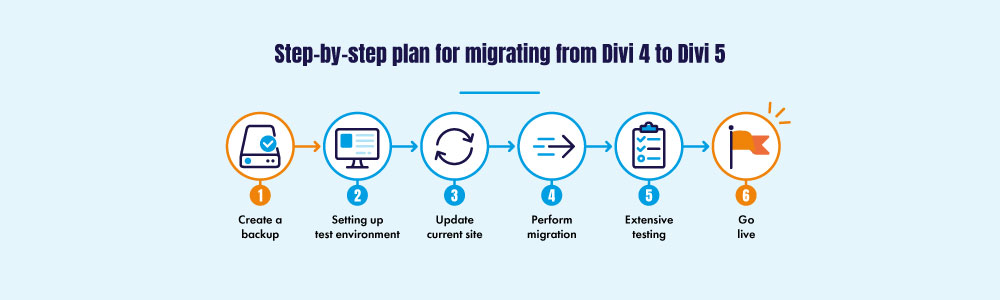
Step-by-step guide for a safe migration
1. Create a backup
Create a full backup of your current website: the database, the uploads folder, and all theme and plugin files.
2. Set up a test environment
Set up a staging site, a copy of your website where you can experiment safely without visitors noticing. Check every third-party module or plugin for the "Compatible with Divi 5" label. If a significant portion of your custom work isn't yet compatible with Divi 5, hold off on migrating for now.
3. Update current website
Update all plugins, Divi and WordPress to the latest versions on your test environment before starting. Outdated software increases the risk of conflicts during migration.
4. Perform migration
Install Divi 5, but do not open any pages before using the Migrator.
Go to Divi and open the Divi 5 Migrator. It automatically scans nine areas of your site: pages, posts, custom post types, Theme Builder templates, WooCommerce products, Divi Library items, widgets, and presets.
Confirm the migration once you are satisfied with the overview. For most websites, this takes anywhere from a few seconds to a few minutes.
5. Extensive testing
Test thoroughly on the staging site: visit your key pages, open various elements in the Visual Builder, check your webshop, menus, and contact form, and verify that external plugins are functioning correctly. Only go live once everything is working properly.
6. Go live
Create a new backup of the migrated website from the test environment and import it into the live environment.
If you have any doubts, you can revert to your previous state using the "Restore Divi 4 Content" button in the Migrator, provided you haven't made too many changes in Divi 5 yet.
Divi 5 in practice
The migration itself is usually the fastest part of the whole process. The preparation, backing up, setting up staging, and testing thoroughly, takes the most time and also deserves the most attention. Skipping those steps is the fastest way to end up with a website that suddenly doesn't work the way you're used to right after migrating. This is also precisely the moment when proper website maintenance proves its worth. In my blog post on the importance of website maintenance, you can read why a site that is consistently maintained makes these kinds of transitions run much more smoothly.
Good to know: if a page contains even one module that isn't yet compatible with Divi 5, that entire page still loads the old Divi 4 framework in the background. You only benefit fully from the speed gains once those last pieces have also been replaced with their Divi 5 versions. That's not a reason to delay the migration, but it is a reason not to sit back right after migrating.
Not every website needs to migrate right now. A simple website with few third-party plugins can usually make the switch without much trouble. An extensive website with a lot of custom work, integrations, and third-party modules needs more preparation and a more critical look at what's actually compatible. That's a decision best made per website, not in general terms.
Conclusion
Divi 4 isn't disappearing overnight. You have until at least the end of February 2027, and your website will keep running safely and functioning normally until then. Even so, it's wise not to wait until the last moment. The sooner you migrate, the smaller and more manageable your website still is, and the less risk you run once support for Divi 4 finally ends.
A good migration starts with a back-up and a staging site, runs through the Divi 5 Migrator, and ends with thorough testing before your site goes live. That process is entirely doable, but it does require attention to detail, especially if your website has been around for years and has grown quite a bit.
Frequently asked questions about the switch to Divi 5
Should I migrate to Divi 5 already?
No, that isn't necessary. Divi 4 will continue to receive security updates until at least the end of February 2027. You can take your time and choose a moment that suits you, provided you don't wait too long.
What happens if I do nothing?
As long as the support period is active, nothing changes regarding your website. Once it ends, Divi 4 will no longer receive security updates, making your website an easier target for hackers.
Can I revert to Divi 4 if the migration fails?
Yes. The “Restore Divi 4 Content” button in the Migrator allows you to revert to your previous setup, provided you haven't made too many changes in Divi 5 yet.
Does every plugin work with Divi 5 yet?
Not automatically. Always check first whether your external modules and plugins carry the “Compatible with Divi 5” label before migrating.
Sign up for the Divi 5 migration
For entrepreneurs with a website built in Divi 4, I have set up a special page where you can sign up for the Divi migration. Find out what is included and how it works, and sign up here:
Do you need help migrating from Divi 4 to Divi 5?
More blogs
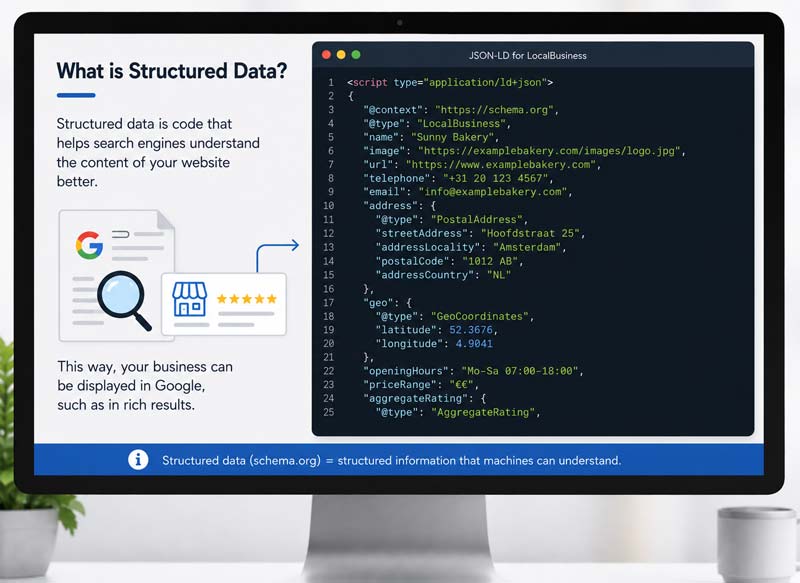
The importance of structured data on your website
Structured data tells Google and AI tools like ChatGPT who you are and what you do. Without this code your website often gets skipped in AI answers, even when the content itself is fine.
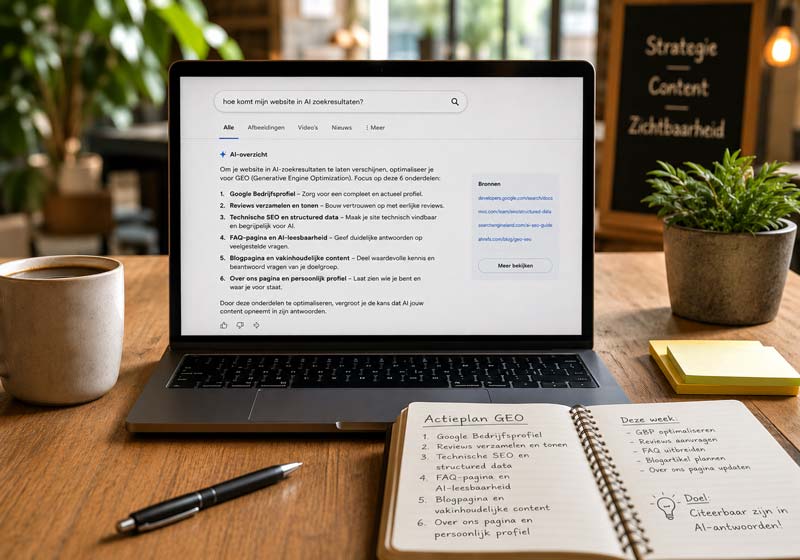
How do I get my website into AI search results?
GEO, Generative Engine Optimization, makes your website readable for ChatGPT and Google AI. These 6 components decide whether AI mentions your business as the answer to a customer’s question.
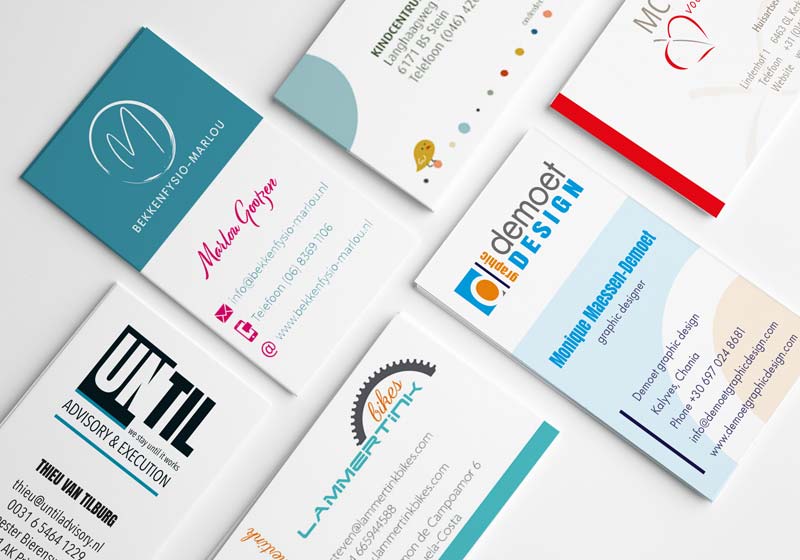
Why have a business card designed?
Having a business card designed costs €75 at Demoet graphic design and keeps working as your silent representative for years. 39% won’t do business with an entrepreneur with a sloppy card.
Share this blog?